

Sales By Category
Last modified by Isaac Mejia on 2026/02/05 15:22
Last updated on February 05, 2026
Sales By Category
Sales By Category (2)
Sales by category Report
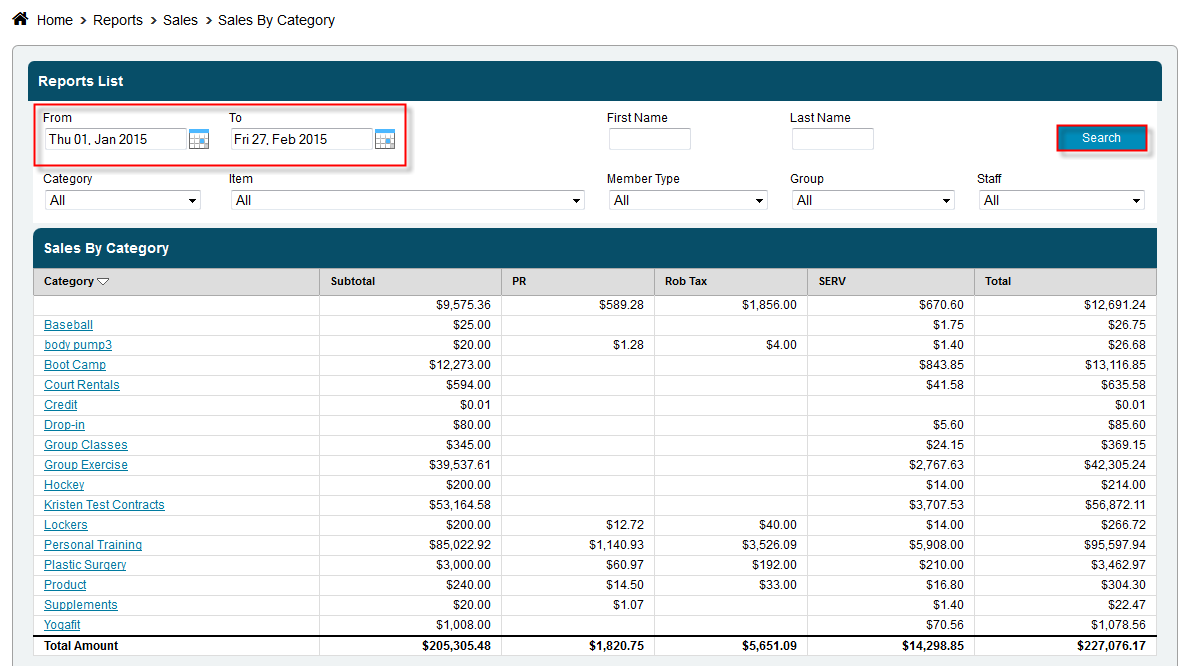
View all of your sales by category for any given time frame, category or even item. See at a glance where your sales are coming from.
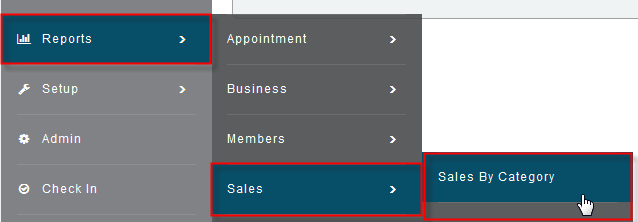
- Click Reports>Sales>Sales by Category
- Select the date range you want to look at by clicking the calendars, next to the from and to boxes, and selecting a date
- Select a specific Category or Item or leave set to all to get back all of your information
- Click Search
Still need help?
If you can’t find what you’re looking for, our support team is happy to help.