

Freeze/Terminate A Contract-2
Last updated on December 15, 2025
Freeze/Terminate A Contract-2
Freeze/Terminate A Contract-2
Created by
Amith on Feb 05, 2021
Freeze/Terminate a Contract
This help article will show you how to Freeze or Terminate a contract.
Freeze A Contract
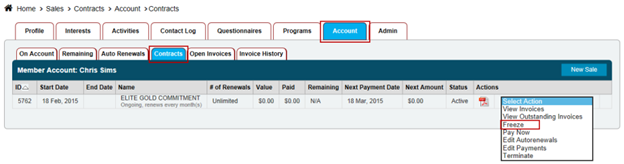
•Click on the Members tab and pull up the client
•Click Accounts
•Click Contracts
•Select Freeze in the Actions drop-down menu
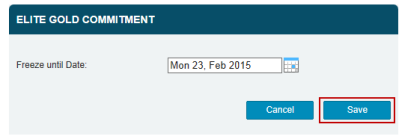
•Select the Date of Next Payment
•Click Save
Terminate a Contract
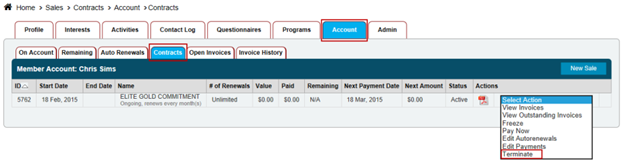
•Click on the Members tab and pull up the client
•Click Accounts
•Click Contracts
•Select Terminate
NOTE: A prompt will appear asking if you're sure that you would like to terminate the contract.
Another way to terminate contracts is to:
•Select the Account tab
•Select the Autorenewals tab
•Select Terminate next to the contract
NOTE: A prompt will appear asking if you're sure that you would like to terminate the contract.
Still need help?
If you can’t find what you’re looking for, our support team is happy to help.