

Lead Flow - Attaching a Trial Package
Lead Flow - Attaching a Trial Package
Overview
This article walks through how to attach a trial package to a lead flow and connect it to a lead source so members receive it automatically.
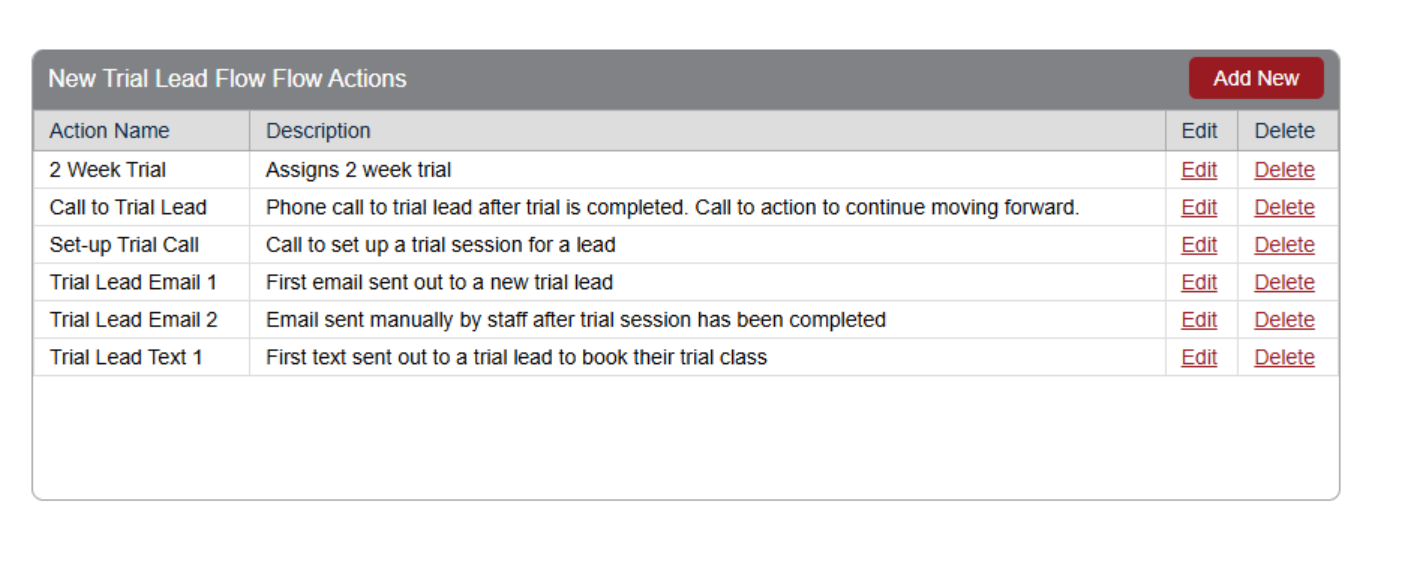
The setup works as a chain: a Lead Source is linked to a Lead Flow, which has a Trial Package action attached. When a member is assigned that lead source, the lead flow triggers and the trial package is created on their account.
Step 1: Navigate to Lead Flow Setup
Begin by accessing your system's lead flow configuration.
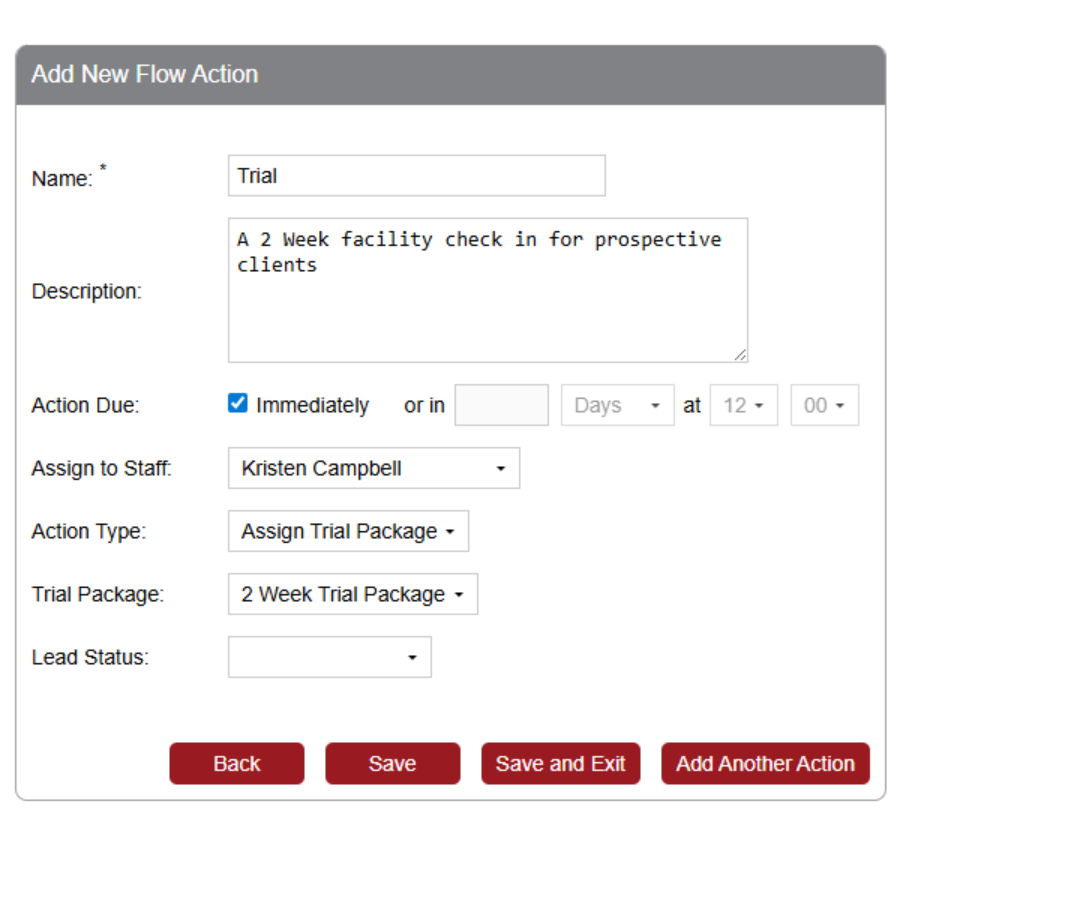
Step 2: Select Action Type
Choose Trial Package from the Action Type dropdown.
Step 3: Select a Trial Package
Currently, the only available option is 2 Week Trial Package.
Attaching the Lead Flow to a Lead Source
Once your lead flow is configured, you'll need to connect it to a lead source. There are two ways to do this:
Option A: Assign a lead source directly to a member
Manually assign the lead source to a member's profile. If that lead source has a connected lead flow with a trial package, it will be triggered for that member.
Option B: Configure Registration to assign a lead source automatically
Go to Setup > Registration and configure it so that every member created from that area automatically receives a specific lead source. Once assigned, they'll be placed into the connected lead flow and the trial package will be generated.
Package Activation and Expiration
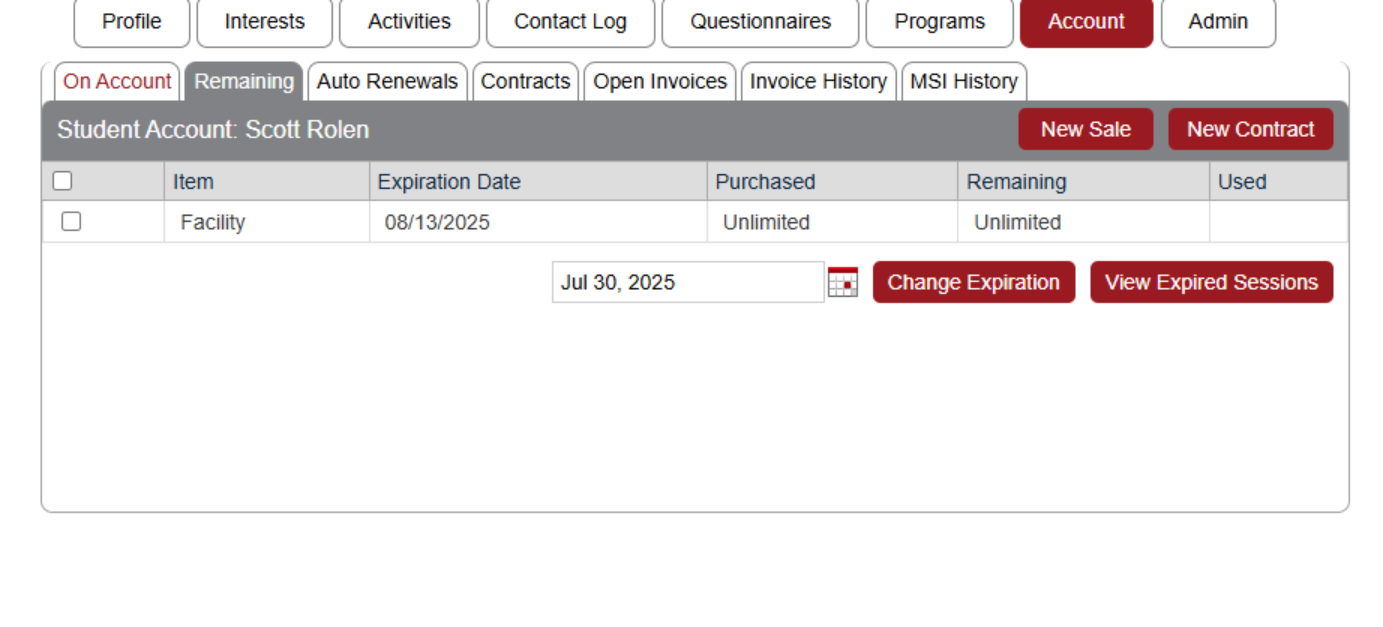
- Once assigned, the trial package appears in the member's account.
- The package is set to expire two weeks from the account creation date.
Important Considerations
Recommended Action: Configure an automated email notification to be sent immediately after the package is assigned to inform the member of their trial access.