

Personalize Messages-2
Last modified by Isaac Mejia on 2026/02/05 17:08
Last updated on February 05, 2026
Personalize Messages-2
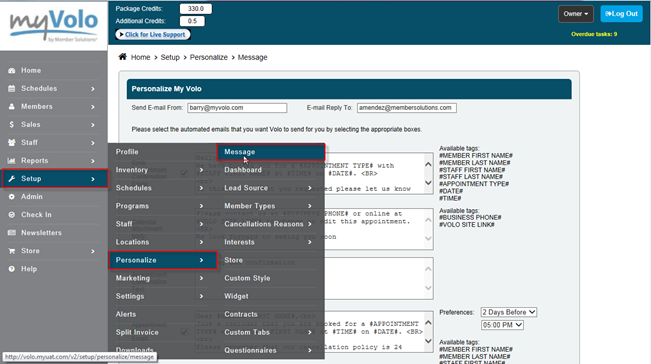
•Click Setup
•Click Personalize
•Click Messages
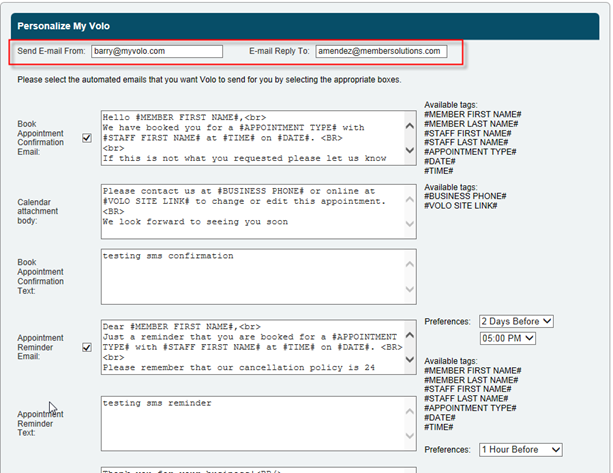
•Fill in the email address that you want to send the emails from and the email address you want people to reply to.
•Type in the messages that you want people to receive in the box that corresponds to the message that you want to deliver.
•Be sure to tick the checkboxes to activate the message.
•Click Save.
Still need help?
If you can’t find what you’re looking for, our support team is happy to help.