

Personalize Messages
Last modified by Isaac Mejia on 2026/02/05 17:08
Last updated on February 05, 2026
Personalize Messages
Click Setup
Click Personalize
- Click Messages
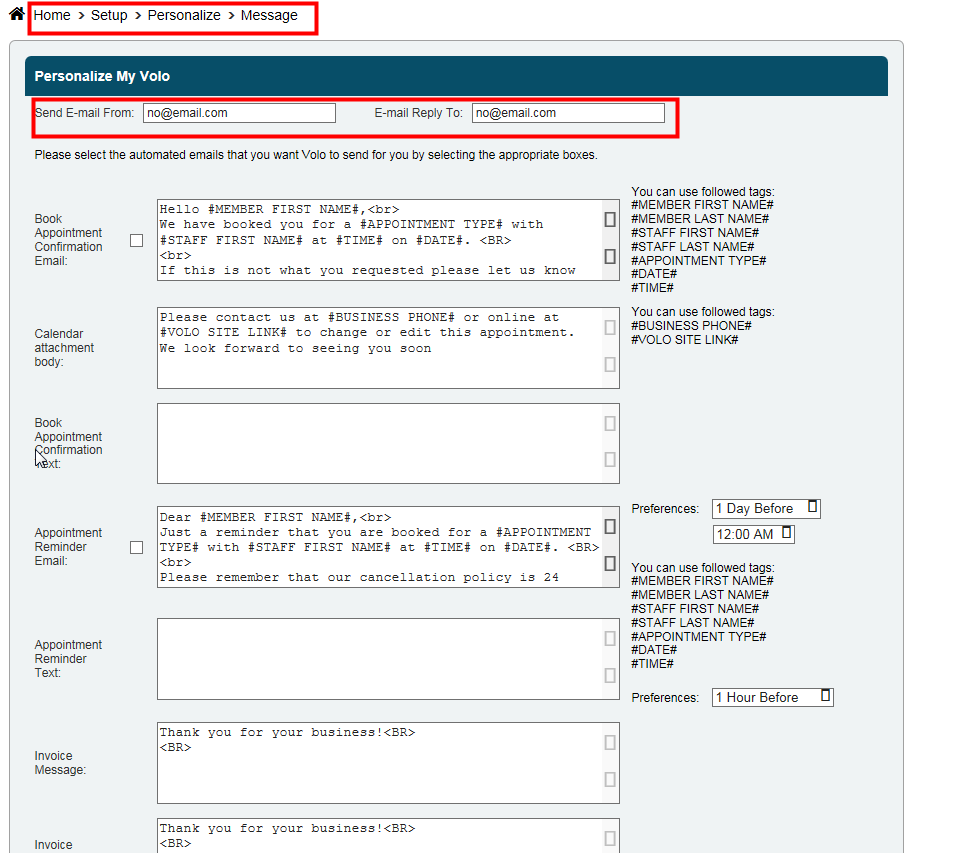
- Fill in the email address that you want to send the emails from and the email address you want people to reply to.
- Type in the messages that you want people to receive in the box that corresponds to the message that you want to deliver.
- Be sure to tick the checkboxes to activate the message.
- Click Save.
Note: Cancellation messages do not have personalized text, but the ability to opt-out of sending these messages is visible

Still need help?
If you can’t find what you’re looking for, our support team is happy to help.