

How To Create Locations
Last modified by Isaac Mejia on 2026/02/05 17:08
Last updated on February 05, 2026
How To Create Locations
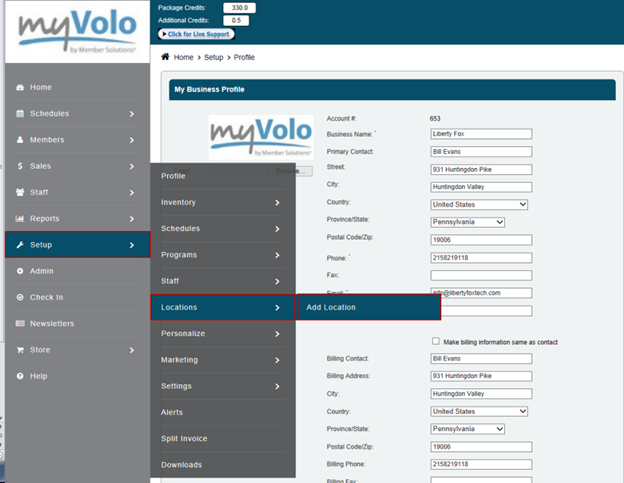
•Click Setup
•Click Locations
•Click Add New
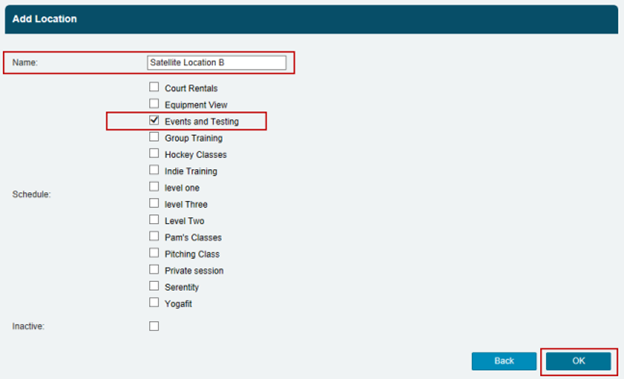
•Enter the location's Name
•Tick the schedule that you want the location to appear on
•Click OK
Still need help?
If you can’t find what you’re looking for, our support team is happy to help.