

Disabling Staff Account
Last updated on February 05, 2026
Disabling Staff Account
Overview
If a staff member leaves your organization or no longer needs access, you can disable their account to prevent them from logging in. This keeps your system secure and your staff list up to date.
Steps to Disable a Staff Account
Go to Staff in your main menu.
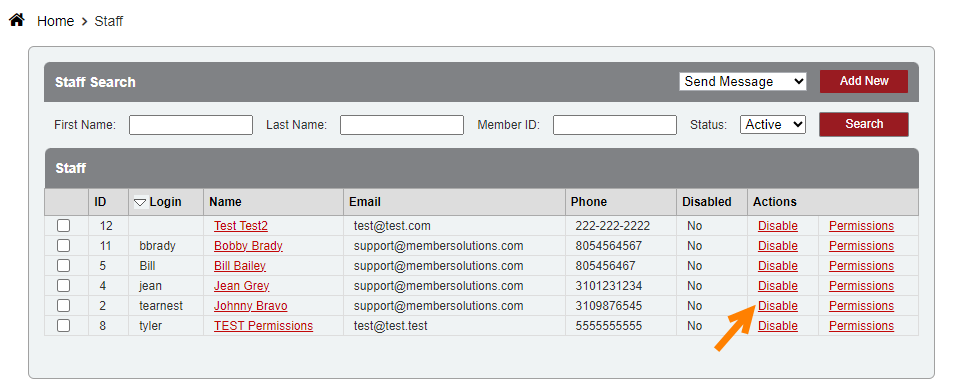
Click Search to view your list of staff members.
Find the staff member you want to disable, then click Disable next to their name.
Confirm your choice if prompted.
üí° Once disabled, the staff member will no longer be able to log in using their credentials.
Summary
You’ve now disabled the staff member’s account. If you need to restore their access later, you can reactivate the account at any time.
Still need help?
If you can’t find what you’re looking for, our support team is happy to help.