

Payroll Report
Last modified by Isaac Mejia on 2026/02/05 15:22
Last updated on February 05, 2026
Payroll Report
Payroll Report
Payroll Report
From this report you will be able to see all the appointments your staff members have logged for the time frame that you select. If you have set up rates in the Staff Admin area, you will be able to see the amount that you owe them for the appointments they have done. Summary view will show you a quick view of your payroll, while a Detail report will show you the breakdown for each staff member's payroll.
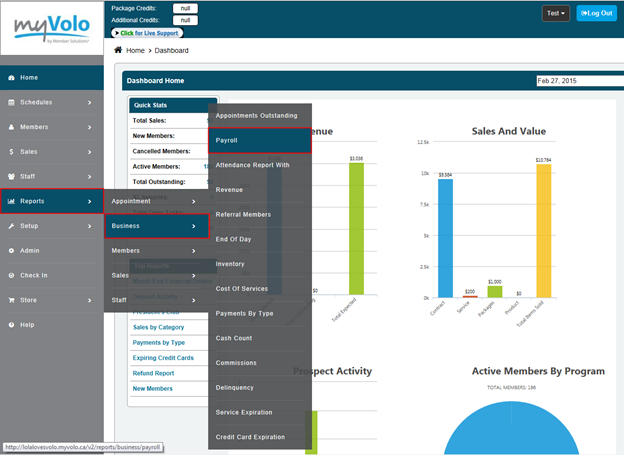
Click Reports
- Click Business
- Click Payroll
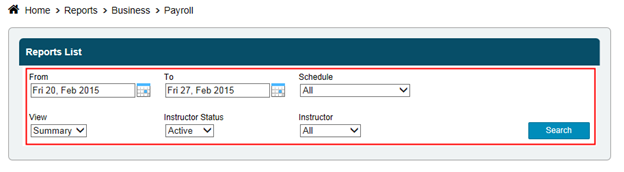
- Select the date range
- Select staff from the drop down box or leave at All
- Select Summary or Detail view
- Click Search
- * This report will show the most accurate results when all the days in the selected time frame have been closed
Still need help?
If you can’t find what you’re looking for, our support team is happy to help.