

Inactive Members Report
Last modified by Isaac Mejia on 2026/02/05 15:22
Last updated on February 05, 2026
Inactive Members Report
Inactive Members Report
Inactive Members Report
Keep track of members that have deactivated accounts with your business, as well as the reasons why these accounts have been deactivated.
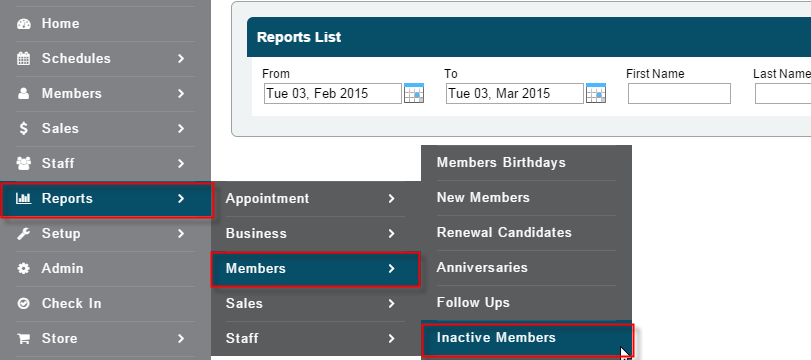
Click Reports
- Click Inactive Members
- Select date range
- Search by member name, or leave blank
- Select staff member, or leave at All
- Select Appointment type, or leave at All
- Click Search

Still need help?
If you can’t find what you’re looking for, our support team is happy to help.