

Create Lead Status
Last modified by Isaac Mejia on 2026/02/05 15:22
Last updated on February 05, 2026
Create Lead Status
Create Lead Status
This help article will show you how to create a new custom Lead Status. Lead statuses are the stages that you take a lead through in your business.
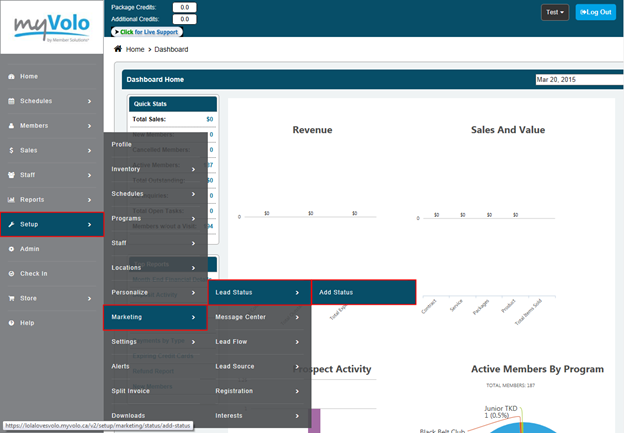
Select the Setup tab
- Select Marketing
- Select Lead Status
- Select Add Status
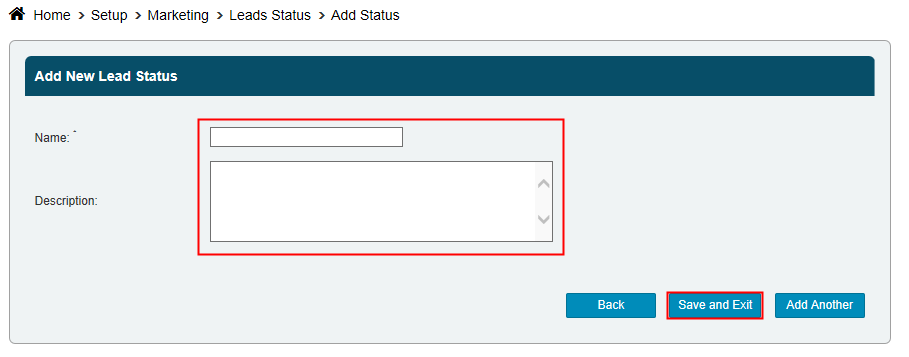
- Enter a Name
- Enter a Description - for internal purposes only
- Select Save and Exit if you're done or Add Another and repeat.
Still need help?
If you can’t find what you’re looking for, our support team is happy to help.