

Commission Report
Last modified by Isaac Mejia on 2026/02/05 15:22
Last updated on February 05, 2026
Commission Report
Commission Report
Commission Report
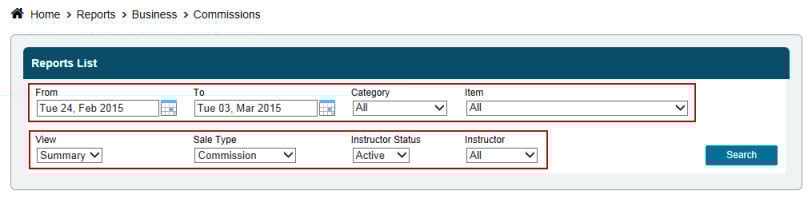
This will generate a report of sales done by staff members. Sales can be viewed as a summary of sales, percentage of total sales each staff member has contributed to, plus the commission earned. The detailed view with allow you to see the breakdown of how each staff member is earning their commission and where they are making their sales.
Click Reports
- Click Business
- Click Commissions
- Select date range
- Select Category and Item, or leave at All
- Select view - Detail or Summary
- Select Sale type - Commission or non-Commission
- Select staff status, and staff member, or leave at All
- Click Search
Still need help?
If you can’t find what you’re looking for, our support team is happy to help.