

Cancellations Report
Last modified by Isaac Mejia on 2026/02/05 15:22
Last updated on February 05, 2026
Cancellations Report
Cancellations Report
Cancellations Report
Keep track of member cancellations in order to eliminate unnecessary cancellations. Use the reasons to keep track of members in order to rebook appointments, or see if confirming appointments decreases the number of cancellations without re-booking.
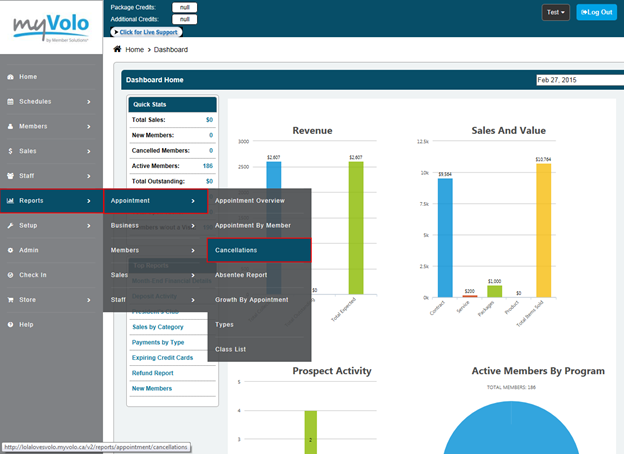
Click Reports
- Click Appointment
- Click Cancellations
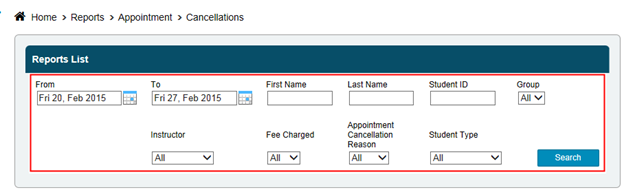
- Click the calendar next to the from and select a date
- Click the calendar next to the to and select a date
- Select a member you want to look at or leave the search field blank to get all the results
- Select if you want to see all cancellations, charge or no charge
- Click Search
Still need help?
If you can’t find what you’re looking for, our support team is happy to help.