

Attendance Report With Revenue
Last modified by Isaac Mejia on 2026/02/05 15:22
Last updated on February 05, 2026
Attendance Report With Revenue
Attendance Report With Revenue
Attendance Report with Revenue
Keep track of which appointments and classes are generating the most revenue for your business during a specific time frame.
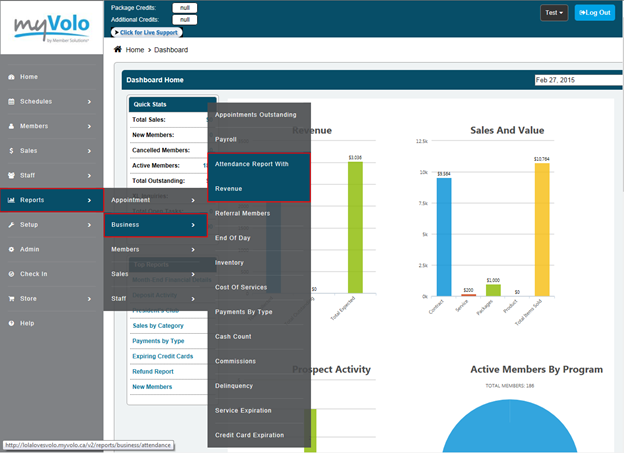
Click Reports
- Click Business
- Click Attendance Report with Revenue
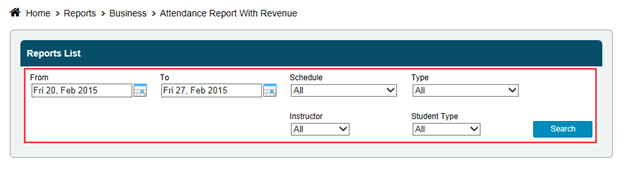
- Select Date Range
- Select schedule type, or leave at All
- Select appointment type, or leave at All
- Click Search
The price per session is derived from the item price in the package set-up, unless the member has not purchased a package.
Still need help?
If you can’t find what you’re looking for, our support team is happy to help.