

Personalize Member Dashboard
Last modified by Isaac Mejia on 2026/03/13 16:37
Last updated on March 13, 2026
Personalize Member Dashboard
Personalize Member Dashboard
You can customize the member dashboard based on what you would like to have your members see on a regular basis.
- Click Setup
- Click Personalize
- Click Dashboard
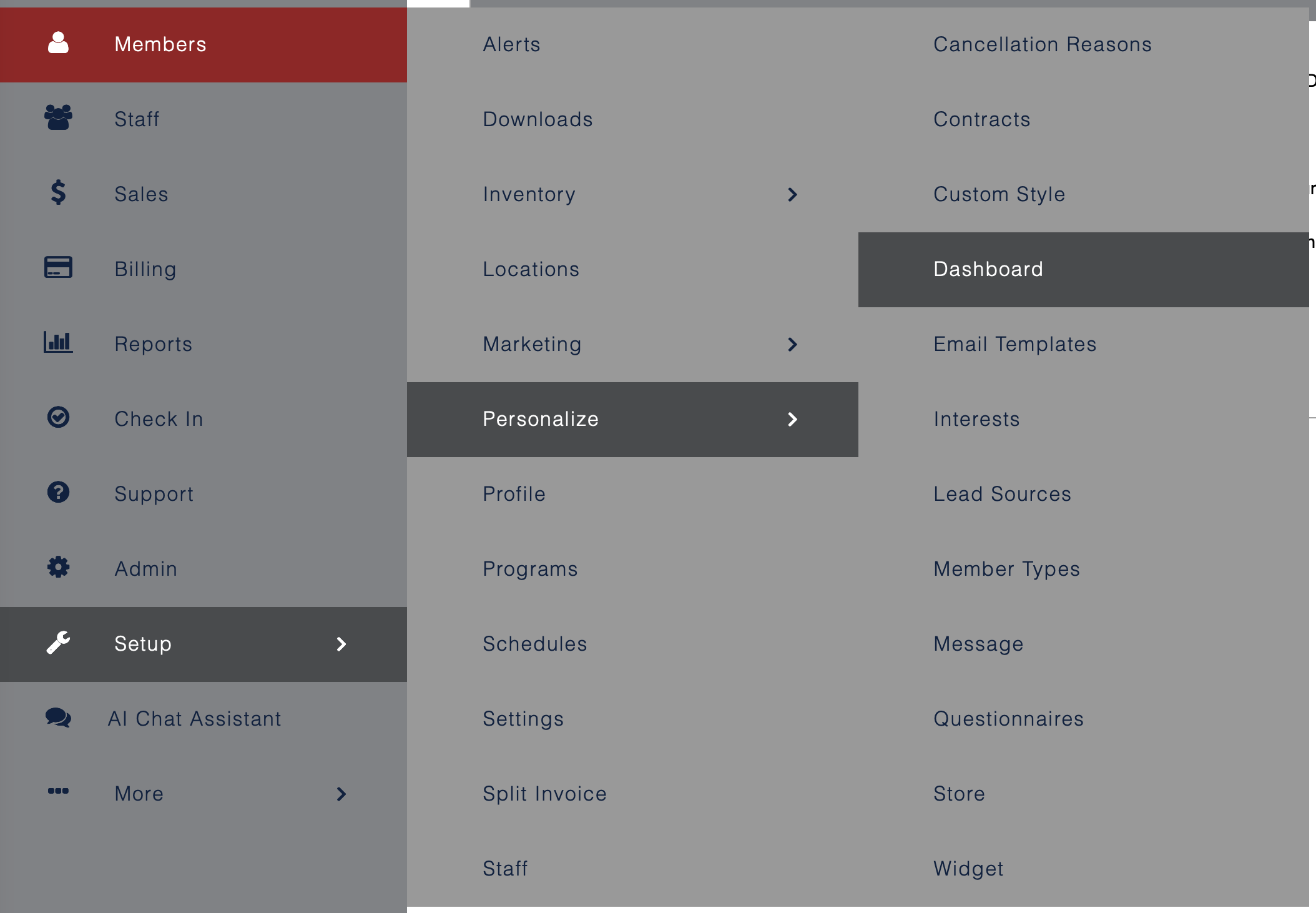
Here are your options:
- Show Dashboard
- Start Page
- Welcome Message
- Show Activities This Week
- Show Alerts
- Show Invoices
- Sessions Remaining
- Show Auto Renewals
- Show Blog RSS
- Show Gadgets
- Click Save
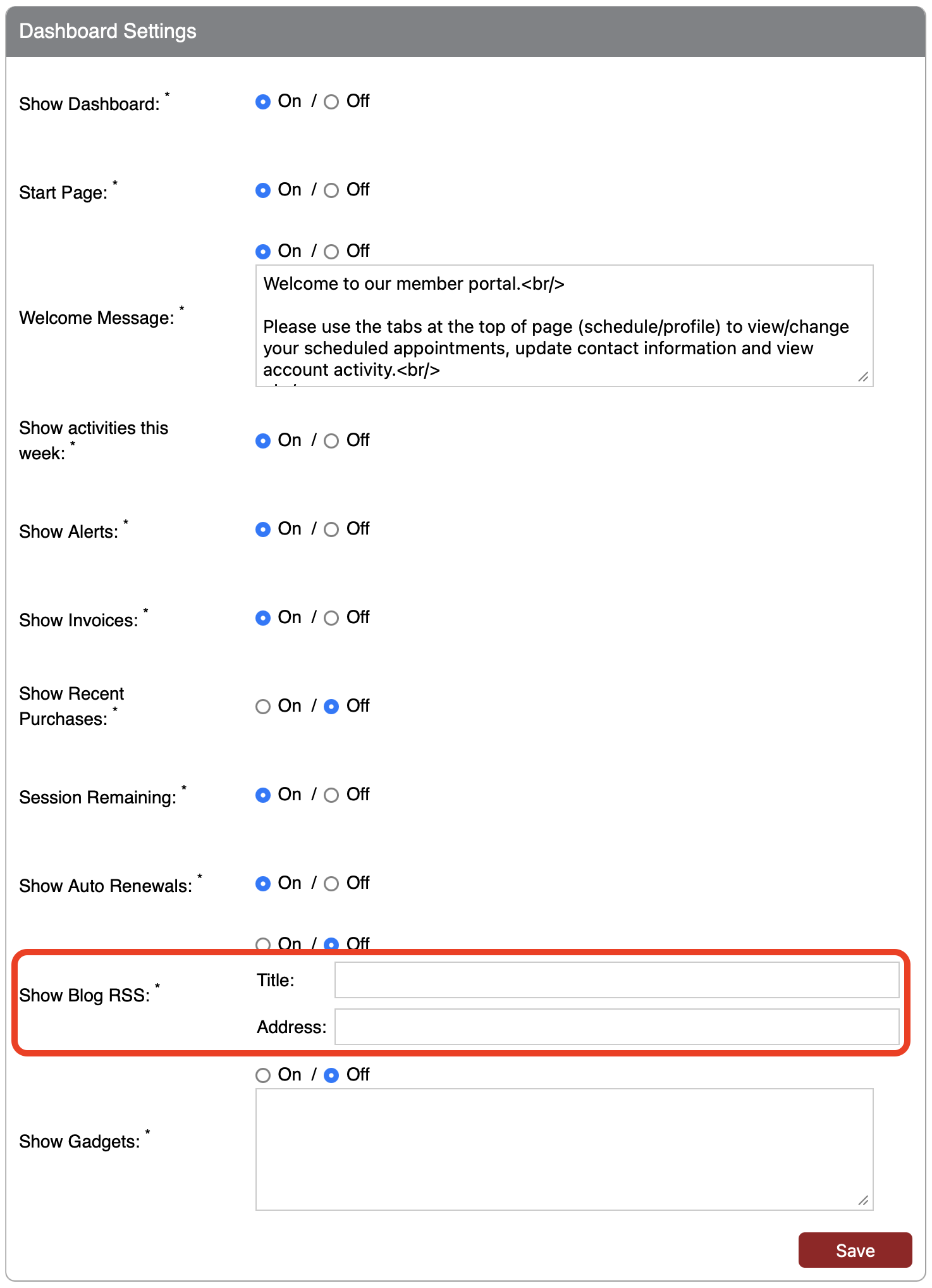
To insert blog
- Go to your blog or your favorite blog that you want your clients to read
- Click on the RSS feed -This cannot be your regular blog address, but rather an RSS feed. If you are using Blogspot, here is an example of the RSS feed: http://**blogname**.blogspot.com/feeds/posts/default?alt=rss
- Cut the address from the address bar
Still need help?
If you can’t find what you’re looking for, our support team is happy to help.