

Add New Member
Last modified by Isaac Mejia on 2026/02/02 17:22
Last updated on February 02, 2026
Add New Member
Follow this guide here to add a new member to your gym.
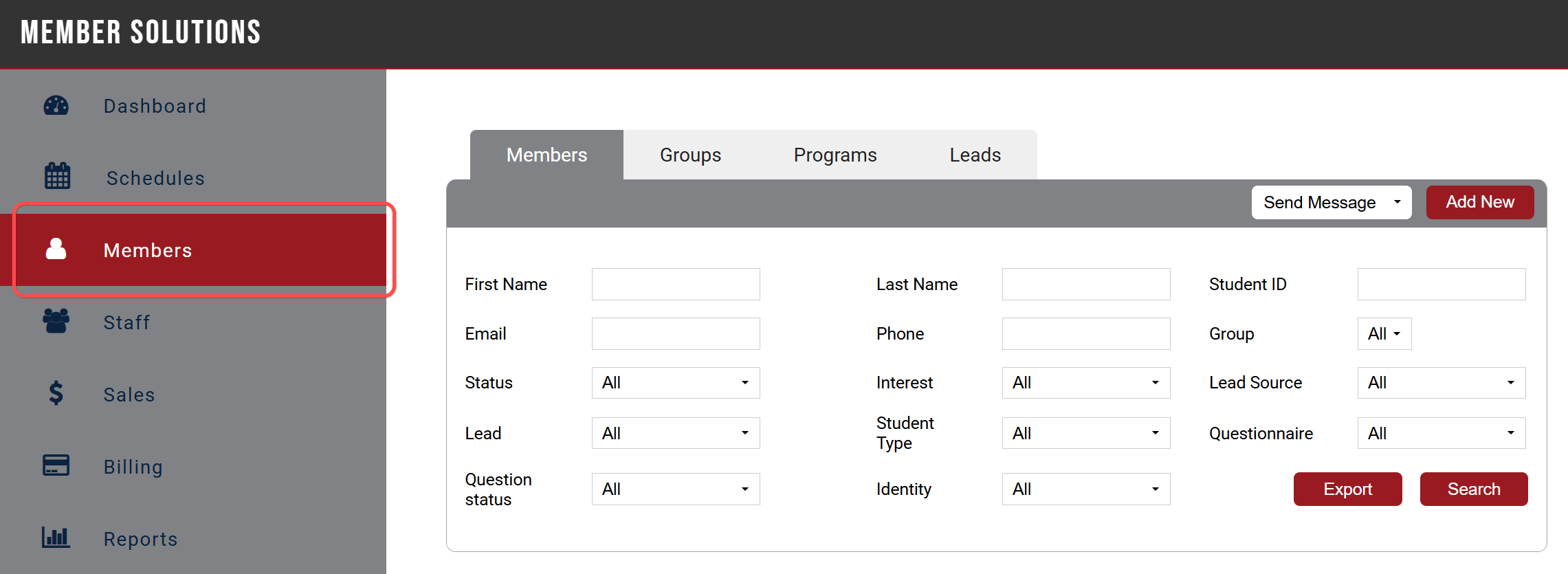
Click on Members from the menu on the left hand side of the screen
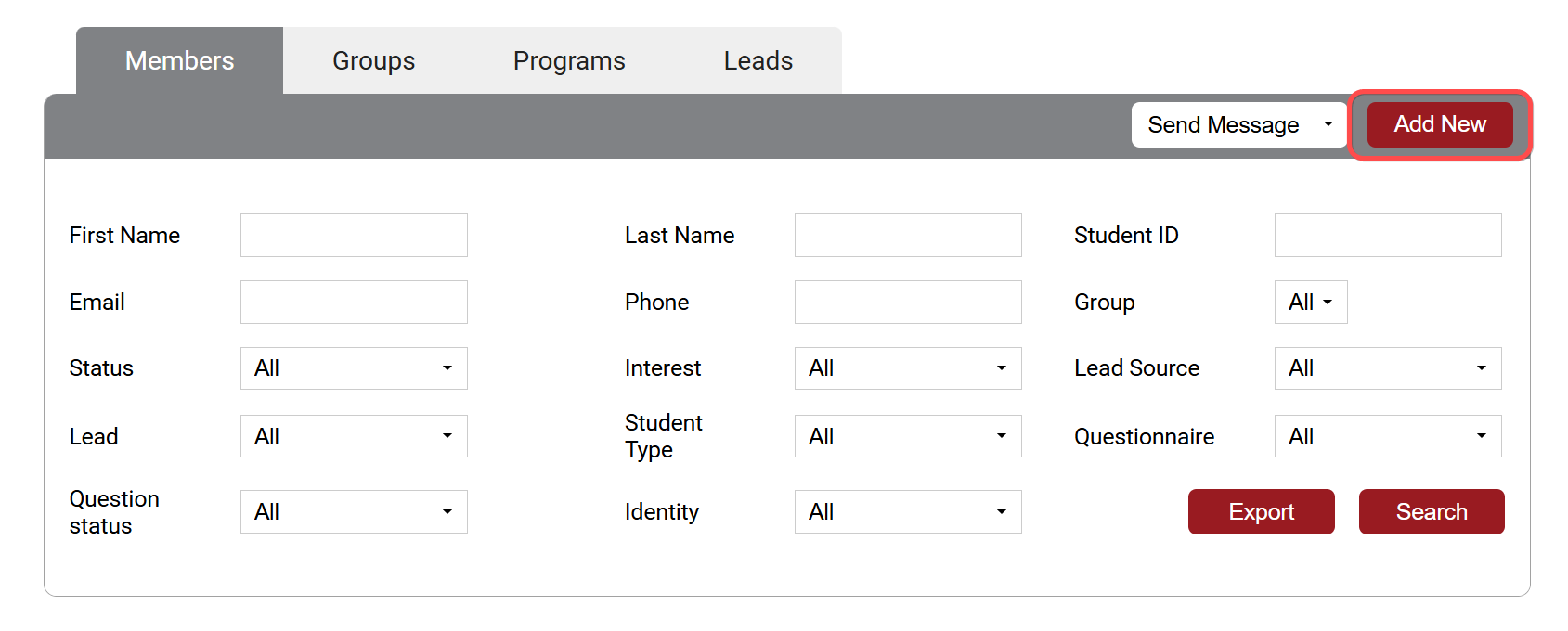
Click Add New in the top right hand corner
Add Member info on this next page. Only fields marked with a * are required to complete registration, but feel free to add as much information as needed. To setup member with a Member Portal login, add a login name in the Login field on the left.
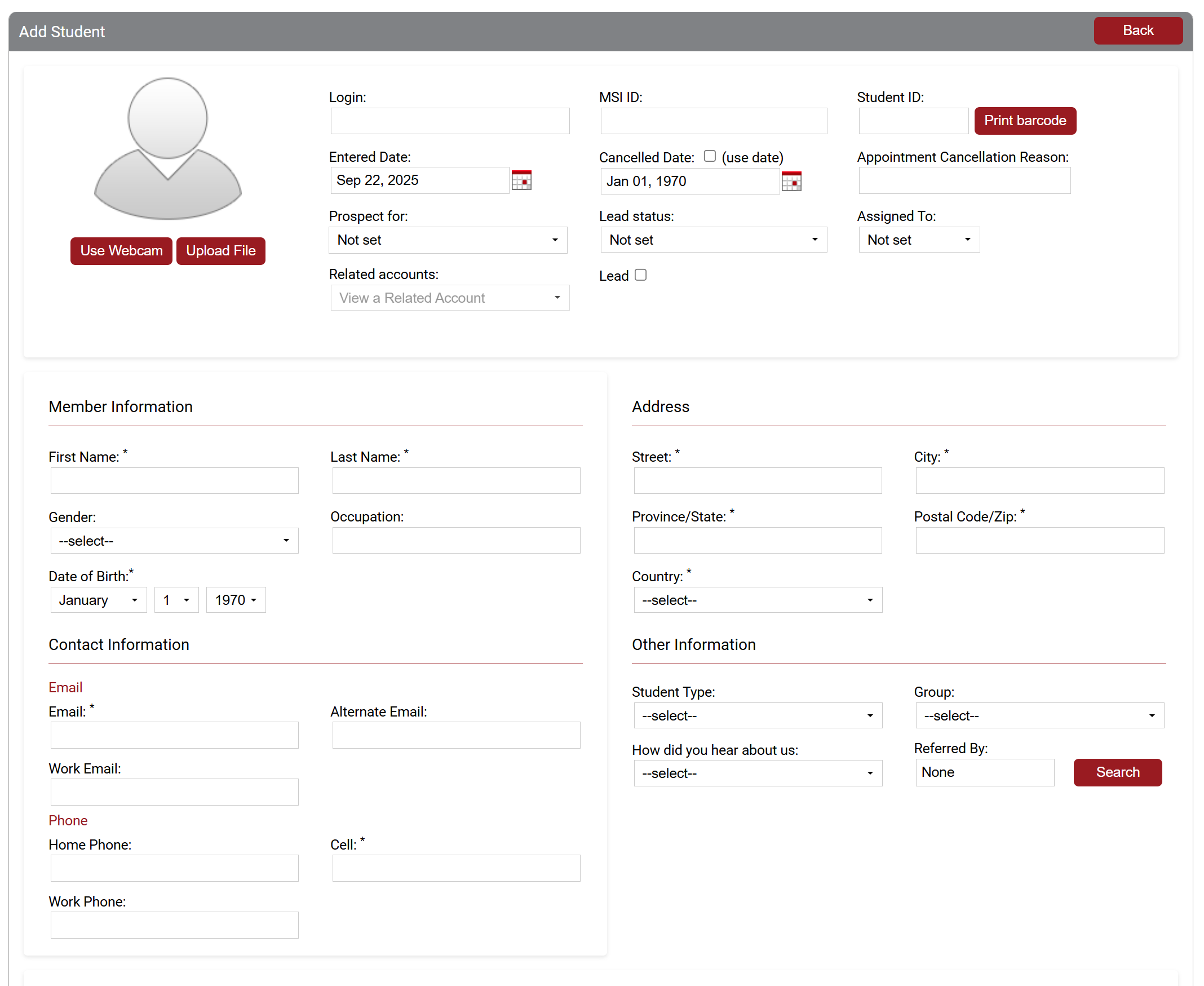
Once you've entered all the member's information click Save, your member will receive an email to update the password and a link to log into your Member Portal.
Still need help?
If you can’t find what you’re looking for, our support team is happy to help.