

Setup Taxes
Last modified by Isaac Mejia on 2026/02/05 15:22
Last updated on February 05, 2026
Setup Taxes
Setup Taxes
Go to Setup - Settings – Taxes
- Type the name of the tax and the percentage. Then select whether this applies to goods/services/both:
- Once finished, click Add New and the tax will be added
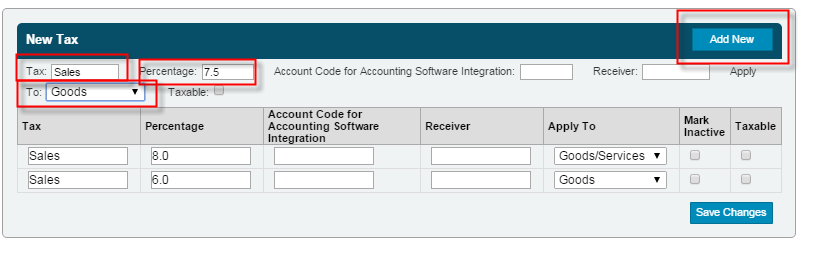
If you ever need to update a tax, go to the Tax area and then make the change and click Save Changes.
Still need help?
If you can’t find what you’re looking for, our support team is happy to help.