

Create Programs And Levels
Last modified by Isaac Mejia on 2026/02/05 17:08
Last updated on February 05, 2026
Create Programs And Levels
Create programs and levels in your Volo site to enable you to track what is happening with your members, students or clubs.
Click Setup
- Select Programs
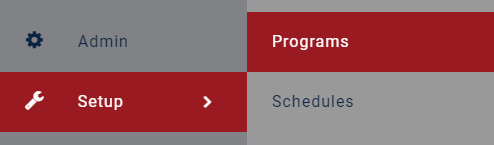
- Select Add New
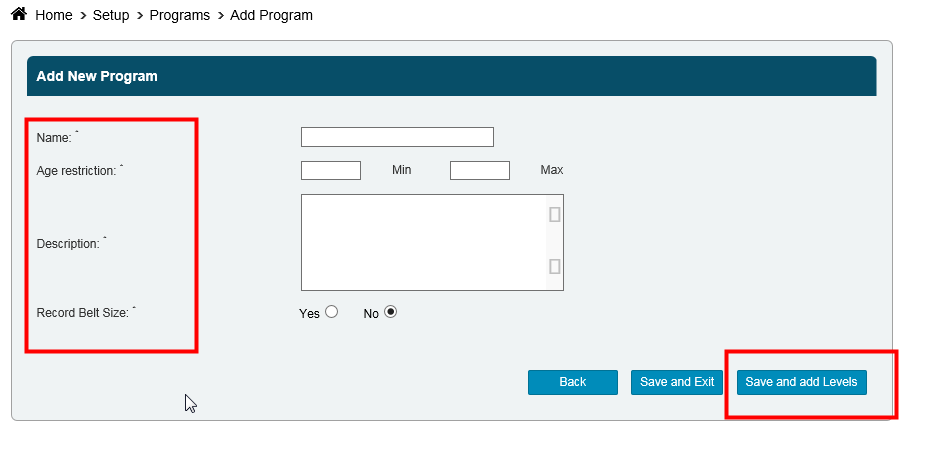
- Enter the Name of the program
- Enter a Minimum and Maximum Age Restriction
- Enter a Description
- Select whether or not you want to Record Belt Size
- Click Save and Add Levels
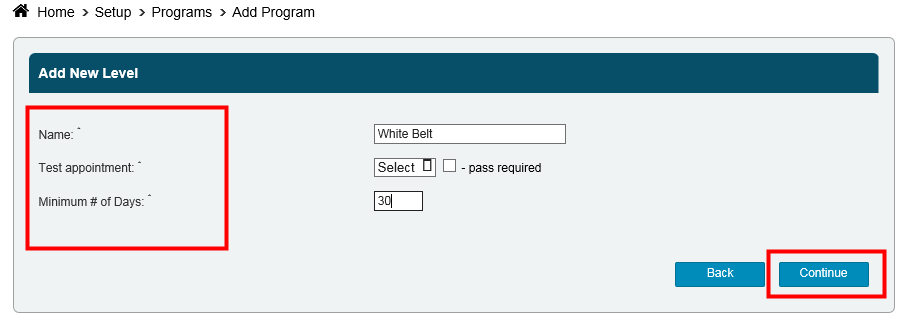
- Enter in the Name of the Level
- Select the Test Appointment. If you don't run a specific test class then you can link the test appointment to the same type of appointment that is part of the program.
- Select whether or not a Pass is Required for the Test Appointment. If a pass is required, you will need to search for all who have completed the level and manually advance them (this can be done to a group of people at one time). If a pass is not required, the member will automatically be advanced once the appointment has been completed.
- Enter in the Minimum # of Days that your member needs to be in that level before they are eligible to advance
- Click Continue
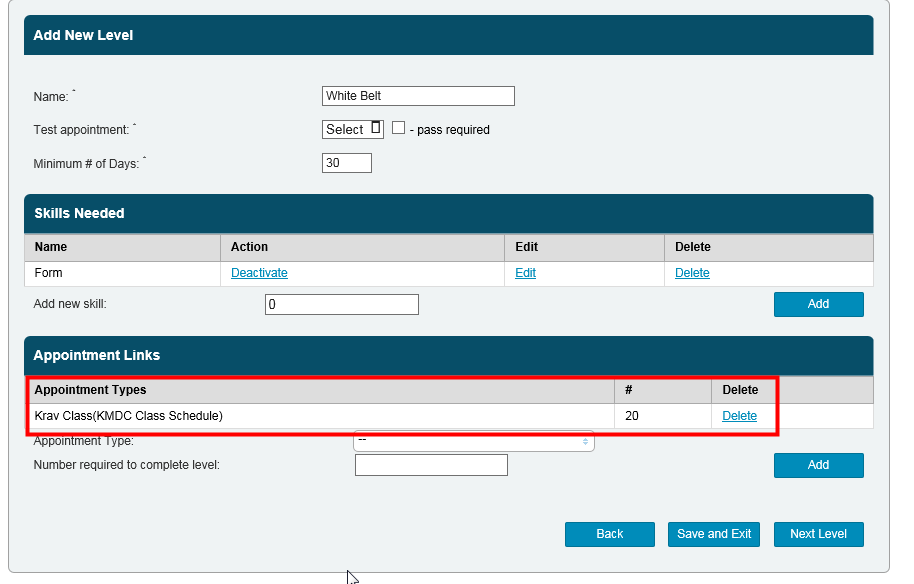
Now, you need to add Skills and Appointments to the level.
To add a skill, enter in the Name of the skill and select Add.
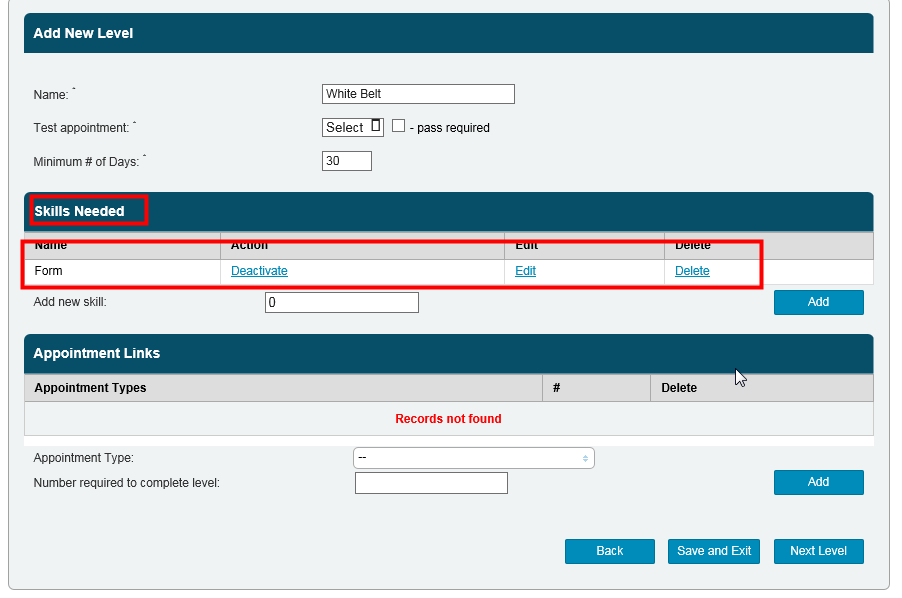
To add an appointment, select the Appointment Type and enter in the Number of Appointments Required to Complete Level.
Still need help?
If you can’t find what you’re looking for, our support team is happy to help.