

Cancellation Reason
Last modified by Isaac Mejia on 2026/02/05 17:08
Last updated on February 05, 2026
Cancellation Reason
Cancellations reasons are required in order to cancel a session.
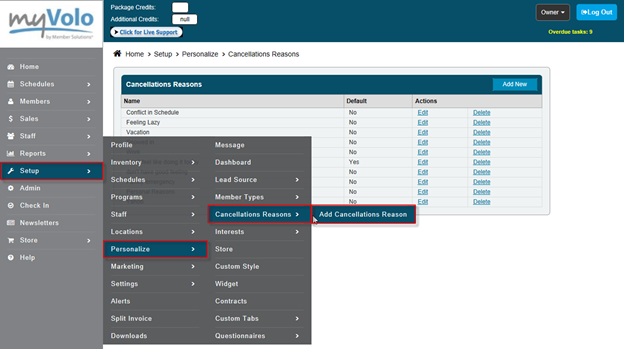
To add a reason for cancellation:
•Go to Setup
•Click Personalize
•Click Cancellation Reasons
•Click Add Cancellation Reason
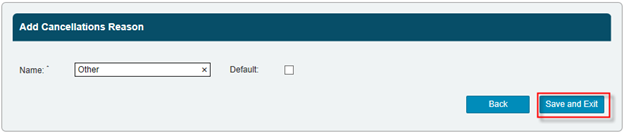
•Enter Cancellation Reason
•Select if this is your Default Reason
•Click Save and Exit
Still need help?
If you can’t find what you’re looking for, our support team is happy to help.